Download Dino Squad: Dinosaur Shooter APK 0.30.0 for Android
MY.GAMES HOLDINGS LTD APK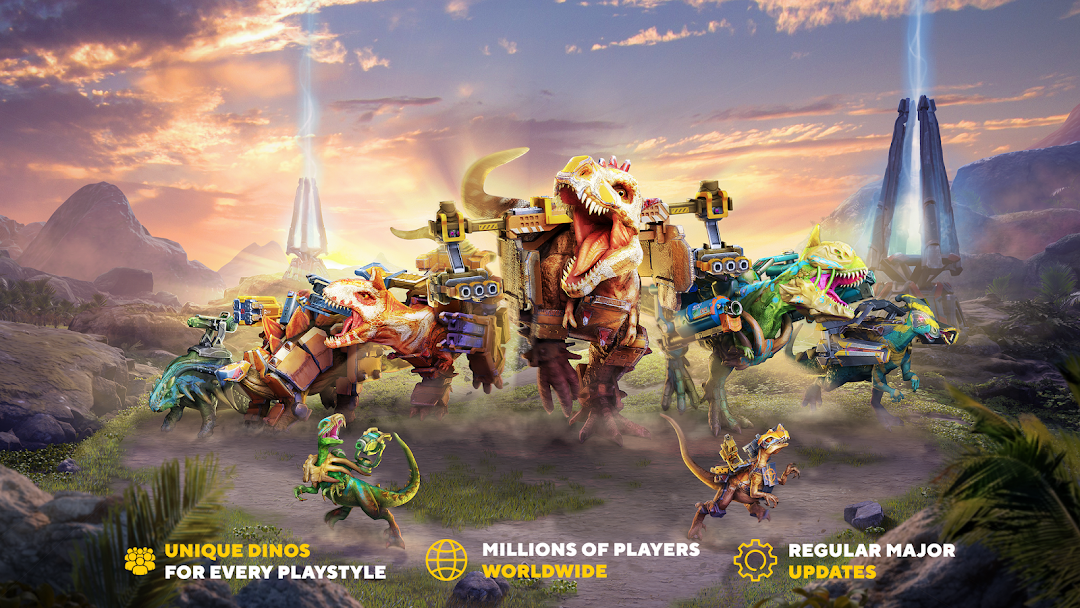
| Name | Dino Squad: Dinosaur Shooter |
|---|---|
| Publisher | MY.GAMES HOLDINGS LTD |
| Version | 0.30.0 |
| Size | 708MB |
| Requires | Android 6.0 |
| Get it on | Google Play ↗ |
| Downloads | 4,314 |
| Price | FREE |
| Rating |
★
★
★
★
★
3/5
(13)
|
| Author | |
| Updated |
Dino Squad is one of the very few shooters where the gun is bolted to a velociraptor’s back, and that single design choice is what separates it from every other mobile PvP game fighting for the same screen time.
Dino Squad: Dinosaur Shooter is a free third-person multiplayer PvP shooter built by Pixonic, the studio behind War Robots, and published by My.Games. Instead of soldiers or robots, you command an armored dinosaur fitted with mounted weapons and battle other players in real time. The premise sounds like a novelty, yet the combat underneath is a competent team shooter with real depth in how each dinosaur class plays. Plenty of download pages will sell you a “modded” build with unlimited gold and a cheat menu, and that is where this guide gets practical, because the gap between the official game and a tampered APK is exactly where most of the risk lives.
- What Is Dino Squad: Dinosaur Shooter?
- How the Gameplay Works
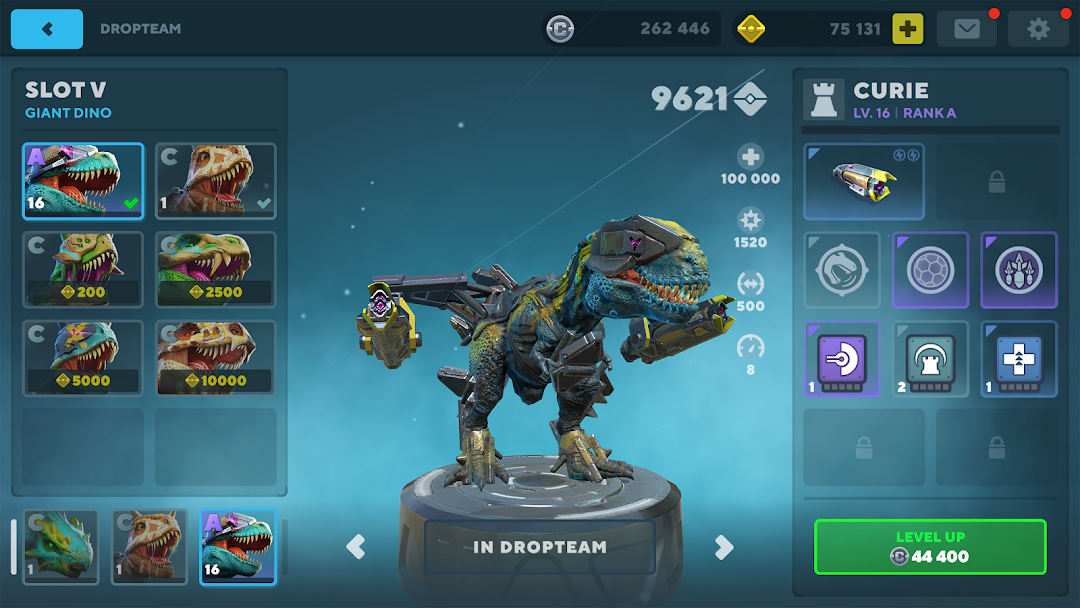
- The 17 Dinosaurs and Three Weight Classes
- Weapons, Armor, and Customization
- The Six Battle Maps and Their Hazards
- Official Version vs. a Modded Dino Squad APK
- How to Download and Install the Dino Squad APK Safely
- Is Dino Squad: Dinosaur Shooter Safe and Legal?
- System Requirements and Performance
- Common Problems and How to Fix Them
- Tips to Win More Matches
- Frequently Asked Questions
- Final Verdict
What Is Dino Squad: Dinosaur Shooter?
Dino Squad is a 6v6-style online shooter where you play as a weaponized dinosaur rather than a human character. It comes from Pixonic, the Moscow-based developer whose earlier title War Robots passed 150 million downloads, and the two games share clear DNA: pick a heavy unit, kit it with weapons, and fight other players on themed maps. The package ID is com.pixonic.dino, and the game has held a 4.5-star rating with listings showing past 5 million downloads as of 2026.
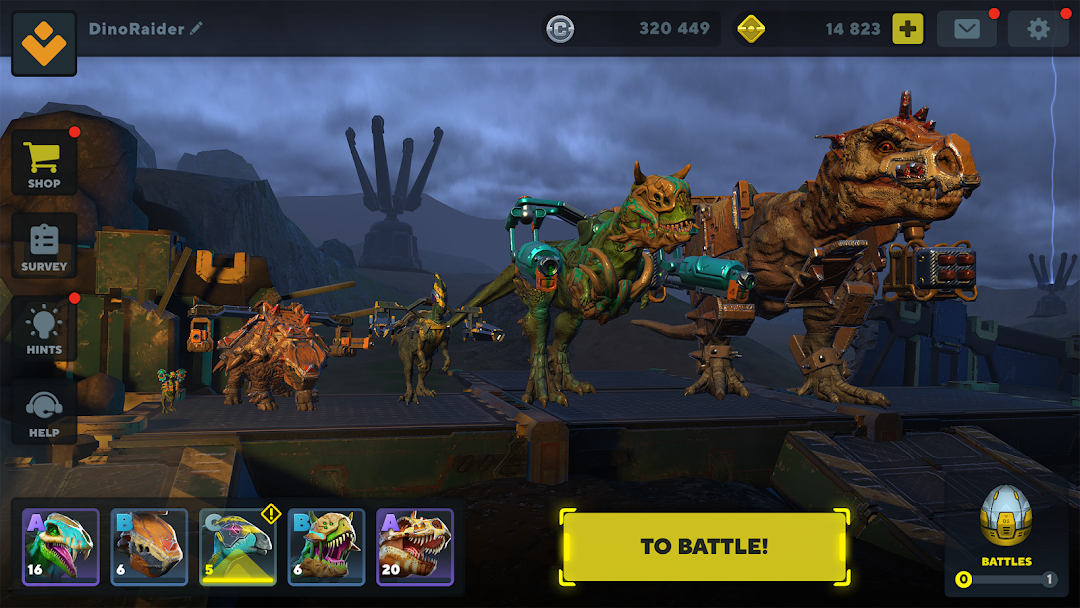
The core idea is straightforward. You collect dinosaurs, attach guns and armor to them, and take them into short PvP matches against players around the world. Progression runs on several in-game currencies, including gold, silver, DNA samples, and event tickets used to unlock new dinosaurs and upgrades. It is free to play, with optional purchases, and that economy shapes a lot of how the game feels over time.
How the Gameplay Works
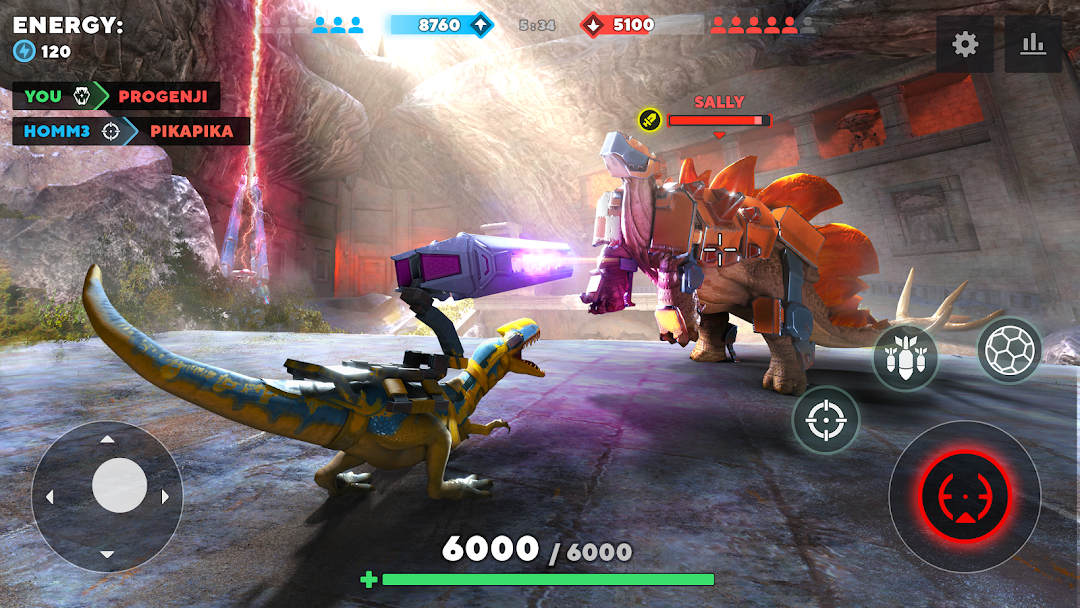
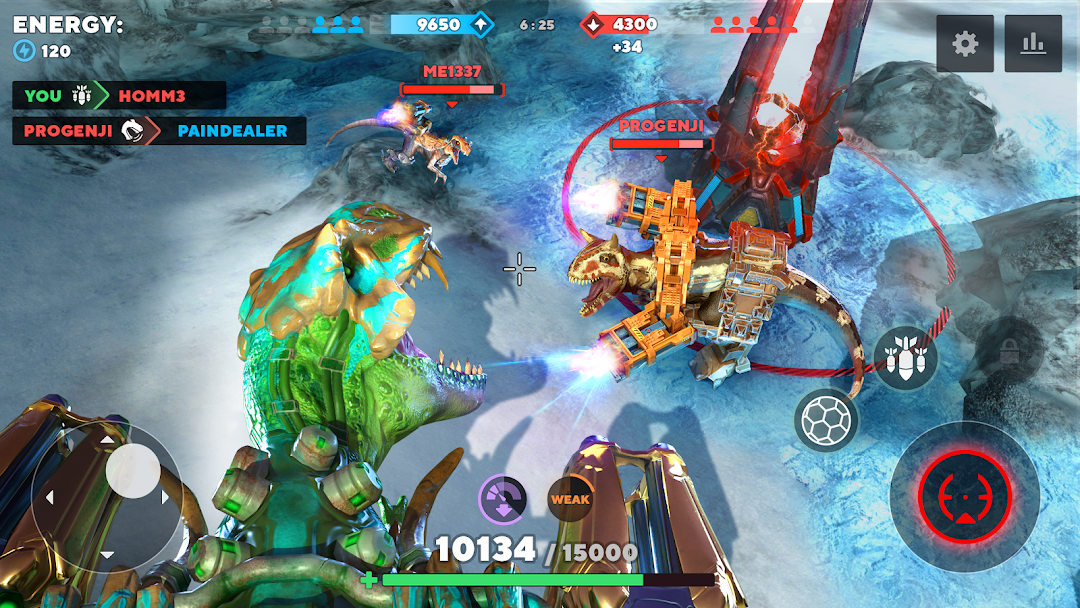
Each match is a fast team deathmatch where the first side to hit the score target or wipe the enemy team wins. Control is built around two on-screen joysticks: the left stick moves your dinosaur, and the right stick aims and fires the mounted weapon. Matches are short, usually a few minutes, which suits quick sessions on a phone.
Beyond raw shooting, positioning matters more than it first appears. Bigger dinosaurs soak damage but move slowly and stand out, while smaller ones dart between legs and flank, so a coordinated team usually beats a group of solo brawlers. Your job is to read the map, push or hold ground with your teammates, and use your dinosaur’s specific strengths rather than charging in alone. That gives the game a tactical layer that the cartoonish look hides at a glance.
The 17 Dinosaurs and Three Weight Classes
The roster includes more than 17 dinosaurs split across three weight classes, and each class fills a distinct combat role. This is the heart of the game’s strategy, so it pays to understand the trade-offs before you commit resources to upgrading any single dino.
Light dinosaurs, such as the velociraptor, are fragile but fast and excellent for flanking, scouting, and harassing slower enemies. Medium dinosaurs balance speed and durability, making them the dependable all-rounders for most situations. Heavy units like the T-Rex carry the most armor and the biggest firepower, but they are slow and obvious targets, so they work best with a team covering their flanks. No two dinosaurs play exactly the same, and learning a couple of picks well beats spreading upgrades thin across the whole collection.
Weapons, Armor, and Customization
Customization is where Dino Squad rewards long-term players, since each dinosaur can be fitted with different weapons, armor, and add-ons that change how it fights. Loadouts are not just cosmetic, and the right combination can shift a losing match.
Mounted weaponry ranges from rapid-fire guns to rail guns, rocket launchers, and explosives, and dinosaurs also have natural attacks like bites and tail sweeps for close range. You unlock new equipment and designs by spending the in-game currencies, then mix and match to build a loadout that fits your playstyle, whether that means a long-range sniping setup or a close-quarters bruiser. Upgrading takes time and resources, which is intentional, because progression is the main hook keeping players coming back between updates.
The Six Battle Maps and Their Hazards
Dino Squad ships with six large map environments, and the terrain itself is part of the fight. Environmental hazards such as lava pits and wild rivers can punish careless movement, so knowing the maps is a genuine skill edge.
Each arena offers different sightlines, choke points, and cover, which means the dinosaur that dominates an open map can struggle in tight corridors. Heavy units thrive where they can hold a lane and trade fire, while light dinosaurs use broken terrain to slip behind enemy lines. Treat the hazards as weapons too, since baiting an overextended opponent toward a lava pit or a strong current can win a fight you would otherwise lose head-on.
Official Version vs. a Modded Dino Squad APK
A modded Dino Squad APK is the official game repackaged by a third party with altered code, usually advertising features like unlimited gold, a cheat menu, or adjustable game speed. The official build from Pixonic and My.Games is the only version distributed through Google Play, and everything calling itself a “mod” comes from outside that channel.
It helps to be clear about what these mods can and cannot realistically do. Because Dino Squad is an online, server-side PvP game, most progress and currency live on Pixonic’s servers, not on your device, so claims of “unlimited gold” that magically appear in real matches are usually overstated or simply false. Offline tweaks like a visual menu or local speed changes may function in some builds, but using them in live multiplayer is exactly the behavior anti-cheat systems are designed to catch. The practical takeaway is that a modded APK rarely delivers the fantasy it promises, while it reliably introduces real risk to your device and your account.
How to Download and Install the Dino Squad APK Safely
If you choose to install any APK outside Google Play, the safe process is standard Android sideloading, and the single most important rule is to get the file from a source you actually trust. Installing an APK means temporarily allowing your browser or file manager to install apps from outside the store, so treat that permission with care.
Start by downloading the APK file to your device, then open it through your file manager or browser. Android will prompt you to enable “Install unknown apps” for that specific app, which you should switch back off the moment the install finishes. Tap to install, wait for it to complete, then open the game and let it download any additional data on first launch. Keep in mind that Google Play Protect now flags many sideloaded APKs and mods with a warning, which is its normal behavior for files installed from outside the store rather than proof the file is clean.
The latest official release is version 0.30.0, which weighs roughly 122 MB and runs on Android 7.0 or newer, although older builds such as 0.27.1 ran on the same baseline and some early versions like 0.20.0 supported slightly older systems. Whichever build you install, the safest default remains the official Play Store version, and any third-party APK should be checked against the official package details before you trust it.
Is Dino Squad: Dinosaur Shooter Safe and Legal?
The official Dino Squad on Google Play is safe and legitimate, since it is published by My.Games and signed by the developer. A modded APK is only ever as safe as the site you downloaded it from, and that is a serious distinction worth taking literally.
Files from unknown sources can be repackaged with malware, adware, or token-stealers hidden inside an app that otherwise looks normal, and a tampered build may request permissions the real game never needs. Even a genuinely “clean” mod carries account risk, because using gameplay-altering modifications in an online PvP title can get your account flagged, suspended, or banned under the game’s terms of service. There is also the simple ethics of it: Dino Squad is free to play, and modded builds undercut the developer who keeps the servers running and the updates coming. If your Dino Squad account matters to you, the most honest advice is to avoid signing into it from any modded version, and if you only want to try a mod, do it on a throwaway account you are willing to lose.
System Requirements and Performance
Dino Squad targets a wide range of phones and runs on Android 7.0 and up, with a download size of around 122 MB for version 0.30.0 before in-game data is added. It is not an especially heavy game, so most mid-range devices from the last few years handle it comfortably.
On lower-end hardware the experience can still be smooth thanks to graphics settings, though older phones may see frame drops in busy fights with multiple heavy dinosaurs on screen. If you want a larger display and mouse aiming, the game also runs on PC through Android emulators like BlueStacks, which many players use for the extra precision in shooting. A stable internet connection matters more than raw horsepower here, because the matches are online and latency affects your aim and movement directly.
Common Problems and How to Fix Them
The two complaints that show up most often in player reviews are mid-match crashes and unbalanced matchmaking, and both have practical workarounds even if neither is fully in your control. Knowing the symptoms helps you tell a game-side issue from something on your device.
If the game freezes, drops to a grey screen, or crashes during matches, first close it fully and reopen it, then make sure you are on the latest version and have enough free storage and memory. Clearing the app’s cache through Android settings resolves many display and loading glitches, and lowering the in-game graphics quality reduces crashes on older phones. For the matchmaking complaint, where free-to-play players sometimes face higher-level opponents with stronger upgraded loadouts, the realistic fix is patience: focus matches on objectives and teamwork rather than trying to out-gun a maxed-out dinosaur directly, and let your own upgrades catch up over time. If crashes persist across devices, it is likely a server-side or build issue that an update will address rather than anything you misconfigured.
Tips to Win More Matches
The fastest way to improve in Dino Squad is to specialize instead of collecting, because a fully upgraded dinosaur you know well beats a shelf of half-leveled ones. Spend your DNA samples and currency on one or two picks that match how you like to play before branching out.
Stick with your team rather than wandering off, since the score and team-wipe win conditions both reward grouping up and focusing fire. Use the map: light dinosaurs should exploit cover and flank routes, heavies should hold lanes where their armor pays off, and everyone should keep environmental hazards in mind both as a danger and as a tool against careless enemies. Aim for weak points and time your reloads so you are not caught empty in the open, and treat each loss as map knowledge rather than wasted time, because reading enemy movement is the skill that separates consistent winners from button-mashers.
Frequently Asked Questions
Is Dino Squad: Dinosaur Shooter free to play? Yes. The game is free to download and play, with optional in-app purchases for currencies and cosmetics. You can progress without spending, though upgrades come slower for free players, which is a common point of frustration in reviews.
Is the Dino Squad MOD APK safe to install? A mod is only as safe as its source. Files from unknown sites can carry malware or steal account tokens, and even a clean mod can get your account flagged under the game’s terms. If your account matters, do not sign into it from a modded build.
Does a modded version really give unlimited gold? Usually not in any meaningful way. Dino Squad is an online game, so most currency and progress are stored on the developer’s servers, which means client-side “unlimited gold” claims rarely work in real matches and often do not work at all.
How many dinosaurs are in the game? There are more than 17 dinosaurs across three weight classes, ranging from the fast, fragile velociraptor to the slow, heavily armored T-Rex, each with different roles and weapon options.
Can I play Dino Squad on PC? Yes, through an Android emulator such as BlueStacks, which gives you keyboard and mouse aiming on a larger screen. The game itself is built for Android phones and tablets first.
Why does the game keep crashing? Common causes are low free memory, an outdated version, or heavy graphics on older hardware. Updating the app, clearing its cache, freeing storage, and lowering graphics quality fix most cases, while persistent crashes across devices usually point to a build issue an update will resolve.
Final Verdict
Dino Squad: Dinosaur Shooter earns its 4.5-star reputation by taking an absurd premise, weaponized dinosaurs, and building a genuinely tactical team shooter underneath it. The 17-strong roster, three weight classes, six maps, and deep loadout system give it real staying power, even if the free-to-play economy and occasional crashes test your patience. For most players, the official version from Google Play is the right call, both for safety and to keep your account intact. A modded APK rarely delivers on its unlimited-everything promises, and it trades that empty fantasy for real malware and ban risk, so if you do experiment, use a throwaway account and a source you trust. Start by picking one dinosaur you enjoy, learn the maps, play with your team, and let the rest unlock as you climb.
Menu, Tốc độ trò chơi
Install the official, unmodified build straight from Google Play.
Android emulator to run DINO SQUAD: DINOSAUR SHOOTER APK smoothly on PC.